OtoPatron is now on the App Store: Your business on iPhone and iPad
OTOPATRON · APP STORE ANNOUNCEMENT
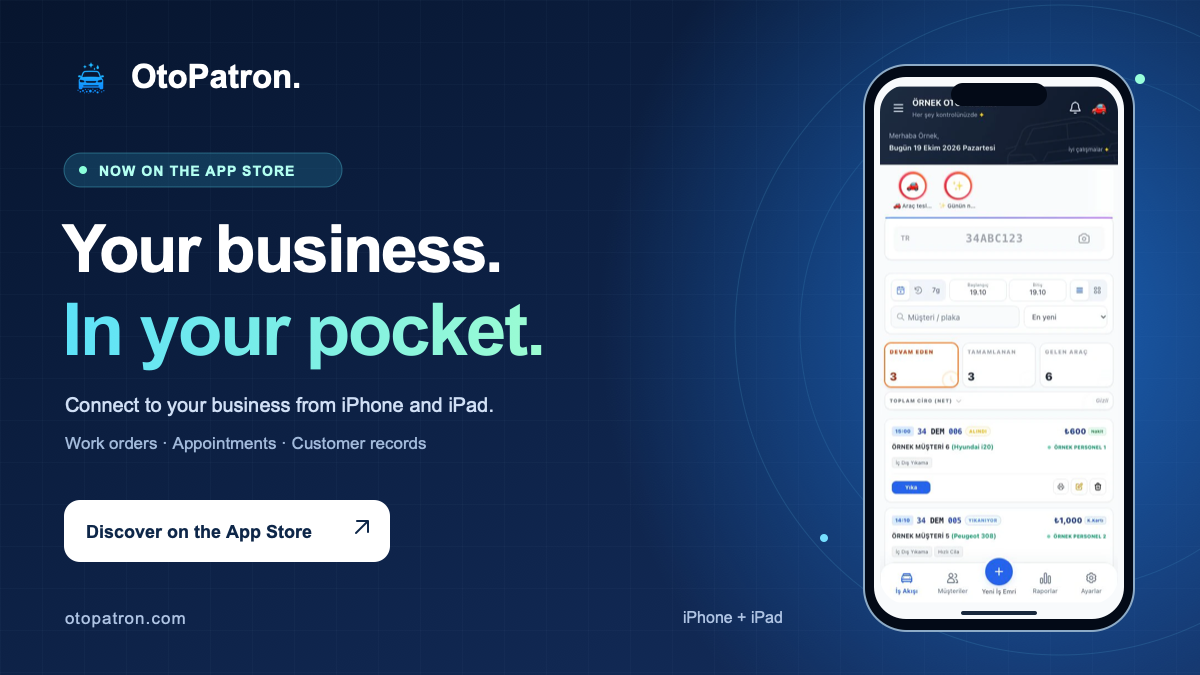
The OtoPatron iOS app is now on the App Store! The records you use throughout the day at your car wash, detailing or automotive service business are now within reach on iPhone and iPad. Download the app, sign in to your company account and follow your daily operations wherever you are.
At vehicle reception, on the workshop floor or away from the site, you can reach the work order you need without setting up your business again. Continue using your existing OtoPatron account and its records.
See how work is progressing
Follow work orders and vehicle service status. Access the services and products recorded on a job and manage its next step within your account permissions.
Keep customer history close
Access customer and vehicle history through the same company account. Check previous visits and recorded details to support conversations with useful information.
Follow your daily plan
Review appointments, stock and payment records. Use the screens enabled for your business and the reports available to your account.
The same company account, closer to your daily work
If you already use OtoPatron, you do not need to create a second company account for the iOS app. Sign in with your company code, username and password to continue working with the records in your existing business account.
Your team's access remains organized: the information staff can view and the actions they can take still depend on user permissions. A report available to the business owner does not need to be available to every user. Specialist screens for PPF, tire services and towing also depend on the modules enabled for your business.
Get started in three steps
- Open the App Store page. Follow the link below to OtoPatron's official listing and download the app.
- Sign in to your company account. Enter your company code, username and password. If you are new to OtoPatron, follow the account creation flow in the app.
- Check your daily operations. Open your work orders, customer records and appointments, then start using the features enabled for your business.
Small moments of convenience during a busy day
Check the morning's first vehicle intake, review an afternoon appointment or find a customer's previous service. These everyday moments are where mobile access helps. It gives you a convenient way to reach your business records when you need them. Continue the checks you make at your desk from your phone, or use an iPad when you want a larger view.
Accounts and subscriptions: Eligible new company accounts created through the store start with a seven-day demo. After the demo, a limited free plan is available; the demo does not automatically become a paid subscription. You can review the optional monthly and annual OtoPatron Pro plans in the app. Existing valid paid company access is retained. Current features and prices are shown in the relevant account and purchase screens.
Before you download
The app supports iPhone with iOS 15.0 or later and iPad with iPadOS 15.0 or later. An internet connection and an OtoPatron account are required. Turkish, English, German, Spanish and Italian language options are available. Features depend on your business configuration and user permissions.
Download OtoPatron for iPhone and iPad
Connect to your daily business operations through the app. Check the official App Store listing for the current version and device compatibility.
Open OtoPatron on the App Store →Learn more about OtoPatron mobile access.
Found this article helpful? Share it with others!
24+ Powerful Features for Your Business
Explore tools built for car washes, vehicle valeting and detailing centres.
License Plate Recognition
Use camera-assisted intake to reduce typing and make vehicle records easier to follow.
WhatsApp Updates
Send vehicle acceptance updates, “Your vehicle is ready” messages and digital receipts from the workflow.
Car Wash Management Software
Car wash management with plate recognition, WhatsApp and customer accounts.
Outstanding Balances & Customer Accounts
Track fleet balances and share PDF account statements through WhatsApp.
Income, Expenses & Cash
Review cash, card and transfer receipts alongside business expenses.
Staff & Technician Commissions
Review the vehicles assigned to staff and the commissions recorded for their work.
Customer Loyalty Cards
Encourage repeat visits with rewards such as “One free wash after five visits”.
Online Booking
Let customers book online and help your team plan arrivals more effectively.
Digital Service Receipts
Share a branded PDF service receipt through WhatsApp instead of a handwritten note.
Cloud Car Wash Software
Access the cloud system from compatible phones and tablets without a local installation.
Products & Stock Management
Follow shampoo, polish and fragrance stock, and check the available stock controls for your setup.
Detailed Reports & Analysis
Use charts to review valuable services, busy periods and turnover.
Customer & Vehicle CRM
Find customers, phone numbers and previous wash records together.
Mobile & Cloud Access
Review your business from a compatible phone or tablet without a dedicated terminal.
Intake & Condition Photos
Photograph visible scratches and damage at arrival to support a documented handover.
Choosing Car Wash Software
Explore the modules and selection criteria that matter for your business.
Valeting & Detailing
Organise polishing, ceramic coating and valeting appointments alongside material records.
Wash Bays & Workflows
Follow vehicle work stages and workshop activity on a shared dashboard.
Automatic Workflow Transitions
Mark a vehicle ready when the work is finished and send the relevant delivery update.
Weekly Turnover Analysis
Review busy hours and turnover charts for the last seven weeks.
Daily Turnover Targets
Set a daily turnover goal and give the team a clear reference for the day.
Tips & Pool Allocation
Record customer tips and distribute the pool transparently using your agreed rule.
Staff Attendance & Working Hours
Record shifts, late arrivals and absences digitally.
Weather Forecasts
Consider weather forecasts when planning the day's workload.
Vehicle Wash Tracking
Follow vehicle work stages and daily handovers.
Car Wash Automation
A nine-point guide to moving from pen and paper to more organised digital operations.
User Access Controls
Choose unrestricted account access, a daily time window, an active employee shift or both conditions together.
License Plate Recognition
Use camera-assisted intake to reduce typing and make vehicle records easier to follow.
WhatsApp Updates
Send vehicle acceptance updates, “Your vehicle is ready” messages and digital receipts from the workflow.
Car Wash Management Software
Car wash management with plate recognition, WhatsApp and customer accounts.
Outstanding Balances & Customer Accounts
Track fleet balances and share PDF account statements through WhatsApp.
Income, Expenses & Cash
Review cash, card and transfer receipts alongside business expenses.
Staff & Technician Commissions
Review the vehicles assigned to staff and the commissions recorded for their work.
Customer Loyalty Cards
Encourage repeat visits with rewards such as “One free wash after five visits”.
Online Booking
Let customers book online and help your team plan arrivals more effectively.
Digital Service Receipts
Share a branded PDF service receipt through WhatsApp instead of a handwritten note.
Cloud Car Wash Software
Access the cloud system from compatible phones and tablets without a local installation.
Products & Stock Management
Follow shampoo, polish and fragrance stock, and check the available stock controls for your setup.
Detailed Reports & Analysis
Use charts to review valuable services, busy periods and turnover.
Customer & Vehicle CRM
Find customers, phone numbers and previous wash records together.
Mobile & Cloud Access
Review your business from a compatible phone or tablet without a dedicated terminal.
Intake & Condition Photos
Photograph visible scratches and damage at arrival to support a documented handover.
Choosing Car Wash Software
Explore the modules and selection criteria that matter for your business.
Valeting & Detailing
Organise polishing, ceramic coating and valeting appointments alongside material records.
Wash Bays & Workflows
Follow vehicle work stages and workshop activity on a shared dashboard.
Automatic Workflow Transitions
Mark a vehicle ready when the work is finished and send the relevant delivery update.
Weekly Turnover Analysis
Review busy hours and turnover charts for the last seven weeks.
Daily Turnover Targets
Set a daily turnover goal and give the team a clear reference for the day.
Tips & Pool Allocation
Record customer tips and distribute the pool transparently using your agreed rule.
Staff Attendance & Working Hours
Record shifts, late arrivals and absences digitally.
Weather Forecasts
Consider weather forecasts when planning the day's workload.
Vehicle Wash Tracking
Follow vehicle work stages and daily handovers.
Car Wash Automation
A nine-point guide to moving from pen and paper to more organised digital operations.
User Access Controls
Choose unrestricted account access, a daily time window, an active employee shift or both conditions together.
License Plate Recognition
Use camera-assisted intake to reduce typing and make vehicle records easier to follow.
WhatsApp Updates
Send vehicle acceptance updates, “Your vehicle is ready” messages and digital receipts from the workflow.
Car Wash Management Software
Car wash management with plate recognition, WhatsApp and customer accounts.
Outstanding Balances & Customer Accounts
Track fleet balances and share PDF account statements through WhatsApp.
Income, Expenses & Cash
Review cash, card and transfer receipts alongside business expenses.
Staff & Technician Commissions
Review the vehicles assigned to staff and the commissions recorded for their work.
Customer Loyalty Cards
Encourage repeat visits with rewards such as “One free wash after five visits”.
Online Booking
Let customers book online and help your team plan arrivals more effectively.
Digital Service Receipts
Share a branded PDF service receipt through WhatsApp instead of a handwritten note.
Cloud Car Wash Software
Access the cloud system from compatible phones and tablets without a local installation.
Products & Stock Management
Follow shampoo, polish and fragrance stock, and check the available stock controls for your setup.
Detailed Reports & Analysis
Use charts to review valuable services, busy periods and turnover.
Customer & Vehicle CRM
Find customers, phone numbers and previous wash records together.
Mobile & Cloud Access
Review your business from a compatible phone or tablet without a dedicated terminal.
Intake & Condition Photos
Photograph visible scratches and damage at arrival to support a documented handover.
Choosing Car Wash Software
Explore the modules and selection criteria that matter for your business.
Valeting & Detailing
Organise polishing, ceramic coating and valeting appointments alongside material records.
Wash Bays & Workflows
Follow vehicle work stages and workshop activity on a shared dashboard.
Automatic Workflow Transitions
Mark a vehicle ready when the work is finished and send the relevant delivery update.
Weekly Turnover Analysis
Review busy hours and turnover charts for the last seven weeks.
Daily Turnover Targets
Set a daily turnover goal and give the team a clear reference for the day.
Tips & Pool Allocation
Record customer tips and distribute the pool transparently using your agreed rule.
Staff Attendance & Working Hours
Record shifts, late arrivals and absences digitally.
Weather Forecasts
Consider weather forecasts when planning the day's workload.
Vehicle Wash Tracking
Follow vehicle work stages and daily handovers.
Car Wash Automation
A nine-point guide to moving from pen and paper to more organised digital operations.
User Access Controls
Choose unrestricted account access, a daily time window, an active employee shift or both conditions together.
Bring Your Car Wash Online
Manage plate recognition, WhatsApp receipts, cash and customer accounts in one place. Build relationships with returning customers.