Car Wash Capacity Planning: From Appointment to Handover
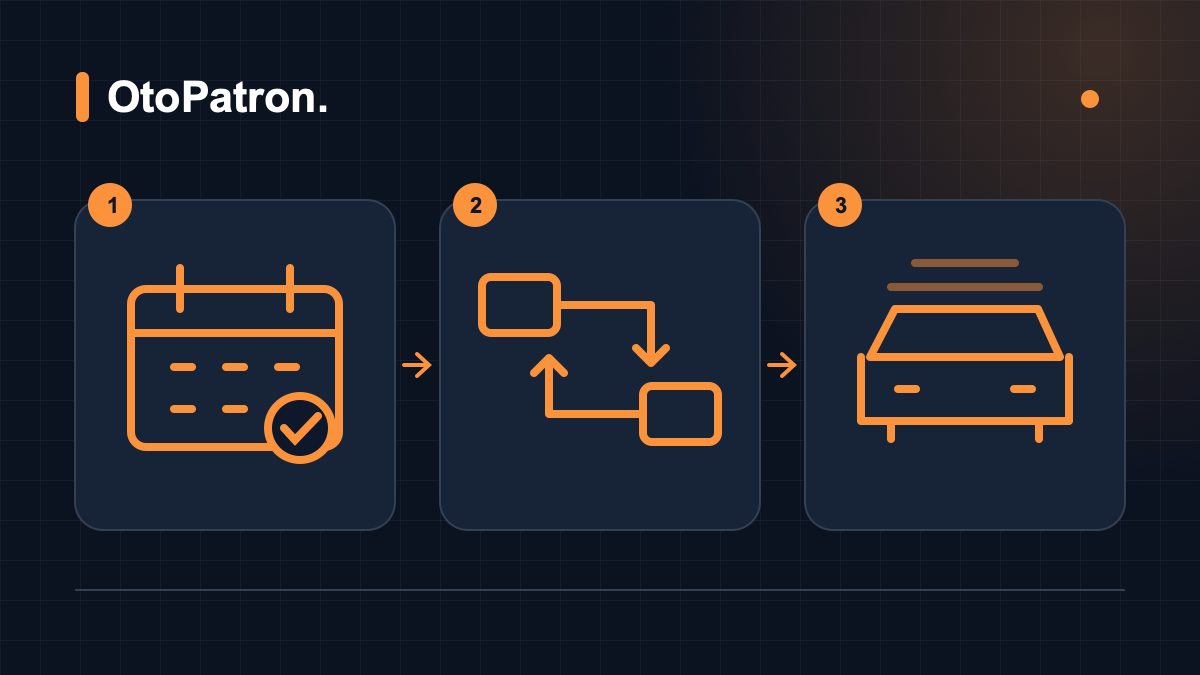
Taking a booking at a car wash can seem simple: give the customer a time, receive the vehicle, carry out the work and hand it back. Yet when interior and exterior washes, seat cleaning, polishing and ceramic-coating preparation share the same day, an empty calendar slot may not mean available capacity. A wash bay can be free while an experienced technician is busy elsewhere; when cleaning finishes, the inspection area may be occupied. Car wash appointment management therefore involves more than transferring telephone conversations into a list.
This guide explains capacity planning from booking to handover for small and medium-sized car wash and detailing businesses. The aim is to align promises with actual working conditions rather than fill every minute. OtoPatron's online appointment system, workflow management and related records support that organisation. Software cannot remove differences in staff skills, unexpected dirt or last-minute requests. It makes the plan visible and helps the team follow changes.
1. Arrival time, work start and promised handover are different
A 10.00 appointment should not automatically mean work starts at 10.00 and the vehicle will definitely be handed back at 10.45. Arrival time describes when the customer brings the vehicle. Work start is when the team actually begins the service. The handover promise describes the window when the inspected vehicle will be ready. Without this distinction, intake time becomes invisible and the first delay carries through to subsequent bookings. The customer also cannot tell what each time means.
In a hypothetical interior and exterior wash, intake and assessment might take eight minutes, the work forty minutes, and inspection and handover preparation twelve minutes. Scheduling only forty minutes leaves twenty minutes of an hour-long process unplanned. These figures are not industry standards; derive your own from team records. You might offer “intake at 10.00, with handover around 11.00 if the condition allows”: a window based on actual capacity and clearly explained conditions.
For intensive cleaning in particular, distinguish the vehicle drop-off time from its collection day. Work involving drying, surface preparation, customer approval or further checks may not finish on the same day. Ask about the service scope, when the customer needs the vehicle and how flexible collection can be. The team can then assess urgent customer needs alongside technical requirements. Clearly presenting suitable options produces a healthier plan than making a quick promise that does not fit those needs.
2. Actual capacity means more than the number of bays
Two wash bays do not mean every service can be performed twice at once. Capacity depends on space, people, equipment and time being available together. One bay may be washing while another supports lengthy preparation. If a pressure washer fails, both empty bays may wait for the same machine. Start by listing resources used throughout the day: wet areas, dry work areas, handover parking, vacuums, extraction machines, polishing equipment and employees able to perform each task safely.
Then identify the available time for each resource. In a hypothetical business open for nine hours, an employee's schedulable time may be below eight hours after breaks, opening preparation, closing cleaning and equipment maintenance. “The business is open” does not mean every resource operates continuously. Employee clock-in and clock-out records help you see who is on duty. Combine that information with actual responsibilities and skills when allocating work.
Find the bottleneck. If exterior washing is quick but interior cleaning takes longer, the interior team limits capacity rather than the wash bay. Sending every customer rapidly into the exterior wash can create a backlog at the next stage. Assess daily intake against the slowest shared stage. Where necessary, stagger starts, reserve blocks for particular services or offer collection windows that relieve handover parking. Check the effect of each change against the records.
3. Define service times through observation
When creating your first duration list, recognise that the same service varies between vehicles. A regularly maintained small saloon interior and a heavily used large commercial vehicle may require different effort. Define service names through measurable scope: which areas are cleaned, which tasks cost extra, and when must the time estimate change? Previous services and notes in customer management provide a more informed starting point for returning vehicles.
Collect several weeks of examples and compare similar work. Do not use only the fastest job as your reference. Separate normal durations, frequent delays and exceptions. If most of ten hypothetical comparable jobs take forty-five to fifty-five minutes, filling the calendar around one successful thirty-minute example is risky. Rather than immediately deleting an unusual record, investigate: did the customer arrive late, was equipment unavailable, was another service added, or was the timestamp entered incorrectly?
Also distinguish active work from waiting. Drying after seat cleaning may not occupy an employee throughout, but the vehicle can still occupy suitable space. Surface inspection and waiting for customer approval similarly differ from hands-on labour. Making that distinction lets you reassign staff without forgetting the space requirement. Review durations against your own methods; do not treat a software default as an unchangeable technical fact.
4. Put routine washes and detailing on the same resource map
Routine washing and higher-value detailing often share equipment. A vehicle accepted for intensive cleaning in the morning might briefly use the wash bay before moving to a dry area. Accepting another lengthy job at midday may leave too little access to the polishing specialist or well-lit inspection space. Sorting services solely by total minutes misses this conflict. For each job, consider the space, skill, shared equipment and approximate usage window separately.
This resource map need not become a complex engineering exercise. A simple chart visible during the daily briefing may be enough initially. The important point is not to promise the same resource twice. If one employee handles both intake and final checks, for example, avoid concentrating new arrivals at collection times. When reviewing contributions through staff tracking, do not compare employees only by completed vehicle count. Account for longer, more skilled work.
As the business grows, write down rules together. Rules such as “this area stays clear after a long detailing job starts” or “this employee performs handover checks” make daily decisions more consistent. Do not copy another business's durations and staffing unchanged. Different equipment, scopes and customer profiles create different capacity. When naming OtoPatron workflow stages to match your operation, continue following real space usage: a software status label does not create more physical resources.
5. Reading a hypothetical daily plan
The following table is neither a business promise nor a ready-made capacity calculation. It only illustrates planning logic for a sample business with one wet work area and one dry area. In practice, measure durations for your own services. The example shows that arrival may differ from work start and that handover inspection requires its own allocation. Also check that one employee has not been assigned to two places simultaneously.
| Time | Wet area | Dry area | Intake and inspection note |
|---|---|---|---|
| 09.00–10.00 | Vehicle A exterior wash | Vehicle B interior preparation | Complete A and B intake beforehand |
| 10.00–11.00 | Vehicle C exterior wash | Vehicle A interior cleaning | A separate employee must inspect B |
| 11.00–12.00 | Planned gap and a short job | Vehicle C interior cleaning | A handover and a delay buffer |
| 13.00–15.00 | Routine work with suitable spacing | Vehicle D lengthy detailing job | Review shared equipment and break conflicts |
Do not read this as permission to accept another vehicle every hour. If inspecting B depends on the employee cleaning A, the 10.00 block is already overcommitted. Likewise, if D's preparation uses the wet area longer than expected in the afternoon, routine starts will change. Discussing these dependencies at the beginning of the day is as important as deciding who acts when a problem emerges. A calendar gap becomes usable capacity only when every required resource is ready.
Before approving bookings, review service type, vehicle class, existing work and staffing together. OtoPatron's booking form includes service selection, working hours and capacity settings; the current work queue also contributes to the availability assessment. Nevertheless, do not assume it solves every real-world dependency involving specialist skills and equipment. Adding a human review for lengthy applications is a practical way to connect the software calendar to workshop reality.
6. Buffers are part of good planning
A completely full calendar does not prove sound management. Some time must remain available so small delays do not grow into a chain reaction. Buffer size depends on service variability, customer arrival patterns and resource numbers. Fifteen minutes of flexibility within a three-hour block might be a hypothetical starting trial; it is not a correct ratio for every business. Record where the buffer is actually used for a few weeks and adjust it for a reason.
The waiting queue also needs a clear priority rule. Booked vehicles, short walk-in jobs, late customers and existing customers requesting extras should not be inserted arbitrarily. Set priorities according to promises, required resources and intake conditions. Fitting in a short job can be efficient, but repeatedly interrupting preparation for a longer job may extend the whole process. Check its impact on the next two stages rather than deciding only that “this will be quick”.
Closing intake to walk-ins is not the only option. Reserve flexible capacity at particular times, explain waiting times or offer another suitable appointment. If the customer leaves the car, record the agreed collection window. Organised keys, parking positions and contact details for waiting vehicles also belong to capacity management. Even when a bay looks empty, parking that blocks access can delay the next start. Assess that loss separately from working time.
7. Vehicle intake underpins the rest of the plan
Incomplete intake information creates calls and uncertainty after work begins. The plate, customer contact, service scope, observed condition, collection expectation and special requests should meet in one work record. License plate recognition helps create it. Staff should check the result, particularly with dirt, reflections or poor visibility. Faster intake should not come at the expense of recording the wrong vehicle or customer.
Vehicle photographs help document visible condition. They must belong to the job, use understandable angles and be considered with the customer's request. A photograph does not guarantee a particular outcome in a dispute. Operationally, its benefit is sharing what the first employee saw with colleagues. A loose trim piece or an area the customer does not want cleaned should be communicated before work starts.
Do not silently expand scope when another service is requested. Explain the price, duration and effect on collection, obtain approval and add it to the record. An issue settled in a two-minute conversation can become a long handover argument if it is undocumented. Keep customer notes limited to service-relevant information rather than accumulating unnecessary personal details. The job record should form a clear working agreement for the team, with changes updated visibly.
8. Handling late arrivals, no-shows and waiting customers
No-shows cannot be completely eliminated. Clear advance communication and an easy way to change bookings can reduce uncertainty. Appointment messages should contain the day, time, scope, address and a contact route for changes. With WhatsApp integration, separate transactional updates from promotions, confirm the correct recipient and ensure the message fits your communication procedures. Sending a reminder does not replace capacity planning.
A late customer should not automatically be allowed to take the next customer's time. Define a reasonable review rule: can the queue stay intact, can the full service still be completed, and will a different collection window be accepted? Applying arbitrary different rules damages confidence. Discuss and confirm the new time and note why the original record changed. The daily delay analysis can then distinguish late arrival from the application team's performance.
For delays caused by the business, informing the customer before they call is helpful. Do more than say “it will be a little late”: explain the revised estimated window, any options and when the next update will arrive. Do not invent an exact minute if the duration remains uncertain. A deliverable communication promise such as “inspection is continuing; we will update you within half an hour” is more manageable than an unclear handover promise. Assign someone to follow up during the shift.
9. Match automatic status transitions to real work
Automatic status transitions can reduce repeated updates. But if the team understands a status differently, automation spreads inaccurate information faster. Does “completed” mean washing has ended, every service has passed final inspection, or a ready vehicle is waiting for payment? Define your stages first. Then use example records to verify which status is triggered by an action such as assigning an employee.
In particular, compare the logic that completes the previous job when the next vehicle is assigned to the same employee against your process. If someone pauses one job to help on another, a new assignment could mark unfinished work as complete. Reconsider the team procedure or usage in that case. The software button and physical action must retain the same meaning. Workflow customisation makes names understandable; correct use still requires training and daily checks.
When enabling transitions, begin during a quiet period with realistic scenarios. Include a service performed by two employees, a vehicle with an extra service and a car returning for cleaning after inspection. Observe when the ready message reaches the customer. If notification and readiness do not match, more messages are not the solution. The trigger and the operation must describe the same point. Turn the test findings into a short team procedure.
10. Allocate capacity for inspection, payment and departure
Even after cleaning, the vehicle remains part of the business workload. Check window marks, seat moisture, boot organisation and completion of the agreed scope. Set a responsible employee and checklist rather than leaving inspection to memory. If corrections are needed, reflect them in resource planning before accepting another customer. Many simultaneous collection promises can lock up the desk and parking area even after the wash bay becomes free.
A digital service receipt helps present completed services and recorded products clearly. Check the plate, customer details, services and final amount before sharing. Do not assume an operational receipt replaces a required fiscal document or invoice. Record the payment method and outstanding balance correctly, and distinguish taking the vehicle away from actually paying. This matters particularly for business and fleet customers.
Customer account tracking lets you separately follow services handed over but payable later. A collection settles an existing receivable; it is not another sale of the same service. In the daily capacity discussion, make clear which vehicles can physically leave, which are waiting for customers and which need payment reconciliation. This visibility creates space and supports consistent communication. Include keys and handover responsibility in this closing step.
11. Measure plan quality with a few meaningful indicators
You do not need many indicators at the start. The difference between planned and actual start, compliance with collection windows, vehicles waiting at each stage and rework count offer useful starting points. Ensure each event is recorded consistently. If “delivered” is sometimes entered at key handover and sometimes when cleaning ends, duration comparisons mislead. Reporting provides a reliable decision foundation only when underlying records are consistent.
If fifteen of twenty hypothetical weekly bookings are delivered within the promised window, compliance is seventy-five percent. Investigate the other five separately: two may involve late arrivals, one additional services and two equipment waiting. Calling all of them “the team is slow” leads to the wrong intervention. Equally, high compliance achieved by unnecessarily generous promises can hide usable capacity. Interpret indicators alongside quality and customer experience.
A high-turnover day does not necessarily mean efficient capacity use. Long, low-contribution jobs might block profitable shorter ones. Conversely, simply increasing vehicle numbers can exclude higher-value applications. Review turnover analysis with service mix, expenses and collections. For a broader decision framework, see the car wash management reporting and KPI guide. The purpose is to improve next week's plan rather than merely produce numbers.
12. A simple thirty-day implementation plan
During week one, observe the current situation. Note services, spaces, skills and common waits. Ask the team to enter a few key times correctly instead of demanding dozens of new records at once. In week two, group similar services and standardise intake questions. Before sharing the booking link, check opening hours, visible services and capacity settings with trial records. An incorrect starting setting can affect the entire calendar, so do not underestimate this small check.
In week three, try buffer times and queue rules. Compare shift coverage with demand and avoid solving every shortage through overtime. If necessary, move intake times or suggest separate days for certain services. The shift, working-time and user-access guide helps you consider when staff are on duty alongside their system permissions. Using an absent employee's account through a shared password obscures responsibility for entries.
In week four, review results and initially retain only the two most effective changes. Separately planning intake time and leaving an inspection gap after long jobs may help significantly; verify that in your own data. Rather than changing a working system daily, record the change date and observe long enough. Test OtoPatron with your real services, including mobile access: reception connectivity, screen size and staff habits affect sustainability.
Appoint one coordinator for plan changes
On a busy Saturday, if three different people manage telephone bookings, walk-ins and extra time requested by technicians, the shared calendar quickly becomes outdated. It helps to appoint one coordinator for each shift. They need not perform every task personally, but should ensure changes reach the same record and customers receive the same information. At handover, pass on pending decisions, risky collection windows and jobs awaiting approval in a short list.
If a lengthy afternoon application will overrun by thirty minutes, the coordinator first identifies the resource affected. If only the dry area is involved, the exterior-wash queue need not change unnecessarily. If the same employee is due to handle the next arrival, another intake employee could be assigned or the customer offered a revised window. Record who agreed the solution and when it was confirmed. This enables controlled correction of the affected part rather than rewriting the whole business schedule after every delay.
At day end, the shift coordinator should do more than count unfinished jobs. Review whether revised promises were kept and how other customers were affected. For repeated disruption, investigate process causes without blaming people: perhaps an intake question is missing, a service duration is too short, or equipment is shared across two stages. Adjusting tomorrow's plan against that observation offers a more practical improvement than an undefined call to work faster.
Frequently asked questions
Will an appointment system eliminate all conflicts?
No. A digital calendar and capacity settings make certain conflicts easier to see, but cannot remove late customers, equipment failures or extended applications. Outcomes depend on accurate durations, resource availability and recording discipline. Assess workshop conditions before confirming long detailing jobs. A free calendar slot does not necessarily mean every required employee and piece of equipment will be available together.
Can every service use the same booking interval?
Where scopes and resource use differ, the same interval can mislead. A short exterior wash and multistage interior clean require different time and space. Set service durations using your records and assess vehicle class and condition at intake. Do not equate the booking interval with total service duration; test the booking behaviour against realistic scenarios.
Should I hire staff first to increase daily capacity?
Find the bottleneck first. If waiting comes from one machine, the inspection area or a key-handover backlog, extra staff may not solve it. Observe where resources become blocked and review the sequence. If labour truly is limiting capacity, identify the skills and shifts required. Consider every investment alongside expected additional capacity, quality, cost and sustained demand.
How should I change the plan on rainy days?
The weather display can provide supporting information about demand. Forecasts are uncertain and do not affect every service equally. Review booked lengthy work, previous visits and the day's team together. Rather than closing all capacity because rain is possible, follow actual demand and keep suitable customer options open.
Car wash capacity planning is an ongoing learning process rather than a one-time calendar setting. Accurate intake, jointly understood stages, realistic handover windows and consistent records work together. Explore OtoPatron's features to test these steps in your own conditions. Start with a small service group, collect team feedback and refine decisions against measured results. Customer promises and the workshop's actual working pattern can then move closer together.
Found this article helpful? Share it with others!
24+ Powerful Features for Your Business
Explore tools built for car washes, vehicle valeting and detailing centres.
License Plate Recognition
Use camera-assisted intake to reduce typing and make vehicle records easier to follow.
WhatsApp Updates
Send vehicle acceptance updates, “Your vehicle is ready” messages and digital receipts from the workflow.
Car Wash Management Software
Car wash management with plate recognition, WhatsApp and customer accounts.
Outstanding Balances & Customer Accounts
Track fleet balances and share PDF account statements through WhatsApp.
Income, Expenses & Cash
Review cash, card and transfer receipts alongside business expenses.
Staff & Technician Commissions
Review the vehicles assigned to staff and the commissions recorded for their work.
Customer Loyalty Cards
Encourage repeat visits with rewards such as “One free wash after five visits”.
Online Booking
Let customers book online and help your team plan arrivals more effectively.
Digital Service Receipts
Share a branded PDF service receipt through WhatsApp instead of a handwritten note.
Cloud Car Wash Software
Access the cloud system from compatible phones and tablets without a local installation.
Products & Stock Management
Follow shampoo, polish and fragrance stock, and check the available stock controls for your setup.
Detailed Reports & Analysis
Use charts to review valuable services, busy periods and turnover.
Customer & Vehicle CRM
Find customers, phone numbers and previous wash records together.
Mobile & Cloud Access
Review your business from a compatible phone or tablet without a dedicated terminal.
Intake & Condition Photos
Photograph visible scratches and damage at arrival to support a documented handover.
Choosing Car Wash Software
Explore the modules and selection criteria that matter for your business.
Valeting & Detailing
Organise polishing, ceramic coating and valeting appointments alongside material records.
Wash Bays & Workflows
Follow vehicle work stages and workshop activity on a shared dashboard.
Automatic Workflow Transitions
Mark a vehicle ready when the work is finished and send the relevant delivery update.
Weekly Turnover Analysis
Review busy hours and turnover charts for the last seven weeks.
Daily Turnover Targets
Set a daily turnover goal and give the team a clear reference for the day.
Tips & Pool Allocation
Record customer tips and distribute the pool transparently using your agreed rule.
Staff Attendance & Working Hours
Record shifts, late arrivals and absences digitally.
Weather Forecasts
Consider weather forecasts when planning the day's workload.
Vehicle Wash Tracking
Follow vehicle work stages and daily handovers.
Car Wash Automation
A nine-point guide to moving from pen and paper to more organised digital operations.
User Access Controls
Choose unrestricted account access, a daily time window, an active employee shift or both conditions together.
License Plate Recognition
Use camera-assisted intake to reduce typing and make vehicle records easier to follow.
WhatsApp Updates
Send vehicle acceptance updates, “Your vehicle is ready” messages and digital receipts from the workflow.
Car Wash Management Software
Car wash management with plate recognition, WhatsApp and customer accounts.
Outstanding Balances & Customer Accounts
Track fleet balances and share PDF account statements through WhatsApp.
Income, Expenses & Cash
Review cash, card and transfer receipts alongside business expenses.
Staff & Technician Commissions
Review the vehicles assigned to staff and the commissions recorded for their work.
Customer Loyalty Cards
Encourage repeat visits with rewards such as “One free wash after five visits”.
Online Booking
Let customers book online and help your team plan arrivals more effectively.
Digital Service Receipts
Share a branded PDF service receipt through WhatsApp instead of a handwritten note.
Cloud Car Wash Software
Access the cloud system from compatible phones and tablets without a local installation.
Products & Stock Management
Follow shampoo, polish and fragrance stock, and check the available stock controls for your setup.
Detailed Reports & Analysis
Use charts to review valuable services, busy periods and turnover.
Customer & Vehicle CRM
Find customers, phone numbers and previous wash records together.
Mobile & Cloud Access
Review your business from a compatible phone or tablet without a dedicated terminal.
Intake & Condition Photos
Photograph visible scratches and damage at arrival to support a documented handover.
Choosing Car Wash Software
Explore the modules and selection criteria that matter for your business.
Valeting & Detailing
Organise polishing, ceramic coating and valeting appointments alongside material records.
Wash Bays & Workflows
Follow vehicle work stages and workshop activity on a shared dashboard.
Automatic Workflow Transitions
Mark a vehicle ready when the work is finished and send the relevant delivery update.
Weekly Turnover Analysis
Review busy hours and turnover charts for the last seven weeks.
Daily Turnover Targets
Set a daily turnover goal and give the team a clear reference for the day.
Tips & Pool Allocation
Record customer tips and distribute the pool transparently using your agreed rule.
Staff Attendance & Working Hours
Record shifts, late arrivals and absences digitally.
Weather Forecasts
Consider weather forecasts when planning the day's workload.
Vehicle Wash Tracking
Follow vehicle work stages and daily handovers.
Car Wash Automation
A nine-point guide to moving from pen and paper to more organised digital operations.
User Access Controls
Choose unrestricted account access, a daily time window, an active employee shift or both conditions together.
License Plate Recognition
Use camera-assisted intake to reduce typing and make vehicle records easier to follow.
WhatsApp Updates
Send vehicle acceptance updates, “Your vehicle is ready” messages and digital receipts from the workflow.
Car Wash Management Software
Car wash management with plate recognition, WhatsApp and customer accounts.
Outstanding Balances & Customer Accounts
Track fleet balances and share PDF account statements through WhatsApp.
Income, Expenses & Cash
Review cash, card and transfer receipts alongside business expenses.
Staff & Technician Commissions
Review the vehicles assigned to staff and the commissions recorded for their work.
Customer Loyalty Cards
Encourage repeat visits with rewards such as “One free wash after five visits”.
Online Booking
Let customers book online and help your team plan arrivals more effectively.
Digital Service Receipts
Share a branded PDF service receipt through WhatsApp instead of a handwritten note.
Cloud Car Wash Software
Access the cloud system from compatible phones and tablets without a local installation.
Products & Stock Management
Follow shampoo, polish and fragrance stock, and check the available stock controls for your setup.
Detailed Reports & Analysis
Use charts to review valuable services, busy periods and turnover.
Customer & Vehicle CRM
Find customers, phone numbers and previous wash records together.
Mobile & Cloud Access
Review your business from a compatible phone or tablet without a dedicated terminal.
Intake & Condition Photos
Photograph visible scratches and damage at arrival to support a documented handover.
Choosing Car Wash Software
Explore the modules and selection criteria that matter for your business.
Valeting & Detailing
Organise polishing, ceramic coating and valeting appointments alongside material records.
Wash Bays & Workflows
Follow vehicle work stages and workshop activity on a shared dashboard.
Automatic Workflow Transitions
Mark a vehicle ready when the work is finished and send the relevant delivery update.
Weekly Turnover Analysis
Review busy hours and turnover charts for the last seven weeks.
Daily Turnover Targets
Set a daily turnover goal and give the team a clear reference for the day.
Tips & Pool Allocation
Record customer tips and distribute the pool transparently using your agreed rule.
Staff Attendance & Working Hours
Record shifts, late arrivals and absences digitally.
Weather Forecasts
Consider weather forecasts when planning the day's workload.
Vehicle Wash Tracking
Follow vehicle work stages and daily handovers.
Car Wash Automation
A nine-point guide to moving from pen and paper to more organised digital operations.
User Access Controls
Choose unrestricted account access, a daily time window, an active employee shift or both conditions together.
Bring Your Car Wash Online
Manage plate recognition, WhatsApp receipts, cash and customer accounts in one place. Build relationships with returning customers.